HweeShot
HweeShot app icon, a white chicken

Annotate screenshots
with a little personality.

HweeShot is a fast, friendly screenshot tool for Mac. Capture anything, mark it up with arrows, text, blur and spotlight, and share it in seconds.

Free open beta via Apple’s TestFlight · macOS 14 Sonoma or later

🎁 Beta tester perk: the first 100 testers who send feedback get a 50% discount code for HweeShot Pro at launch.

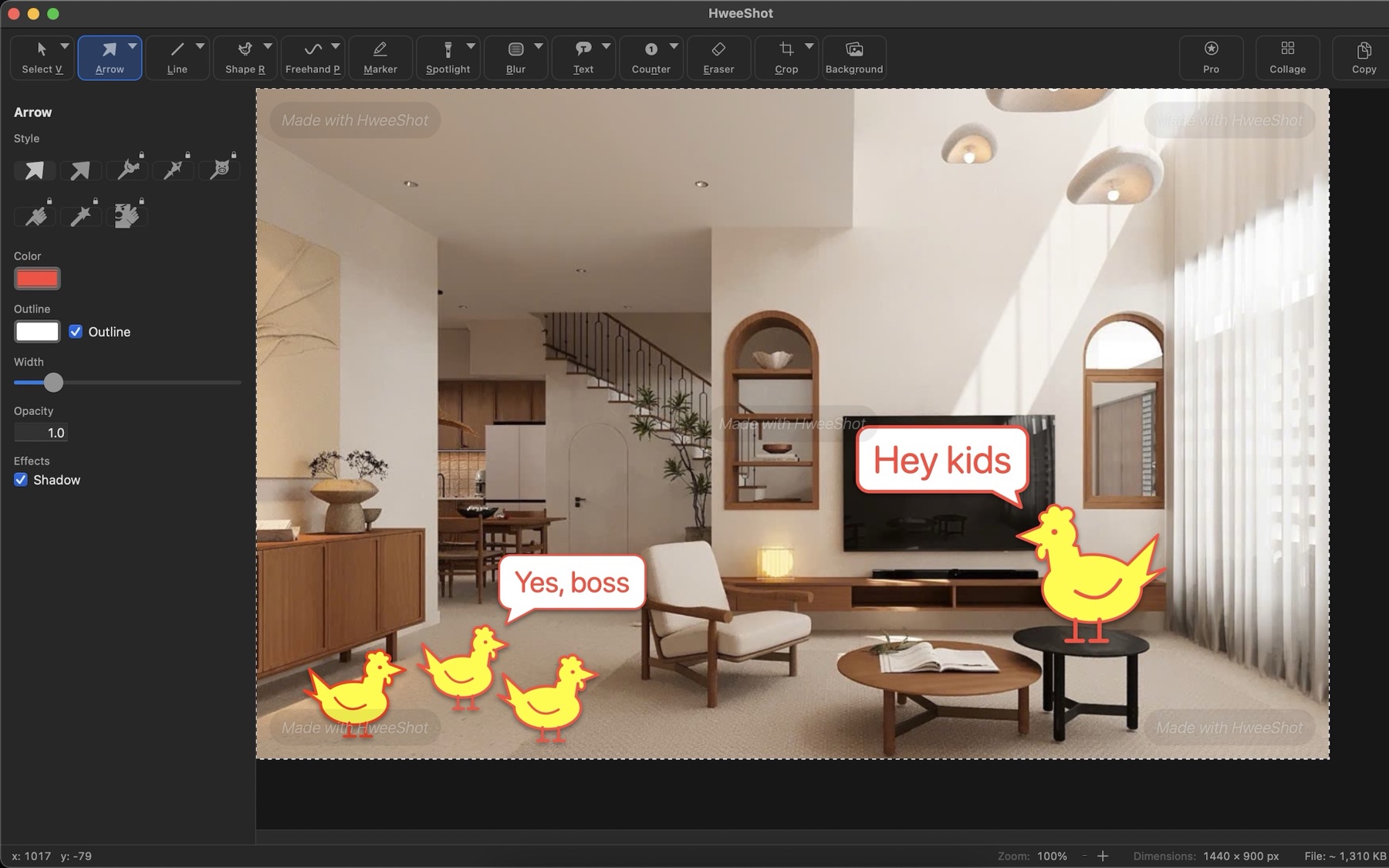
HweeShot editor with the tool bar, arrow options and a room photo annotated with cartoon chickens and speech bubbles
  • Free core tools, forever
  • Private: nothing leaves your Mac
  • No subscription
  • Lives in your menu bar

Everything you need to get your point across

Capture, mark up, done. No bloat, no learning curve.

Instant capture

Grab any region from the menu bar or with a keyboard shortcut, then jump straight into the editor.

Arrows that look great

Classic and tapered arrows with adjustable colour and size, to point at exactly the right thing.

Text with outline

Add readable labels with fill, outline and speech-bubble shapes. Double-click any text to edit it again.

Blur & spotlight

Hide private details with blur, or dim everything except what matters with a spotlight.

Crop & shapes

Crop to a rectangle, circle, triangle and more. Draw shapes, counters and freehand strokes.

Cartoon art

Make screenshots fun with animal shapes, pointing hands and wands, and paw-print pens.

Capture

From screen to share in seconds

HweeShot sits quietly in your menu bar. Press your shortcut, drag over what you need, and annotate right away. Copy to the clipboard, or save to the folder you choose.

  • Global keyboard shortcut
  • Copy, save or drag out
  • Works with Retina displays
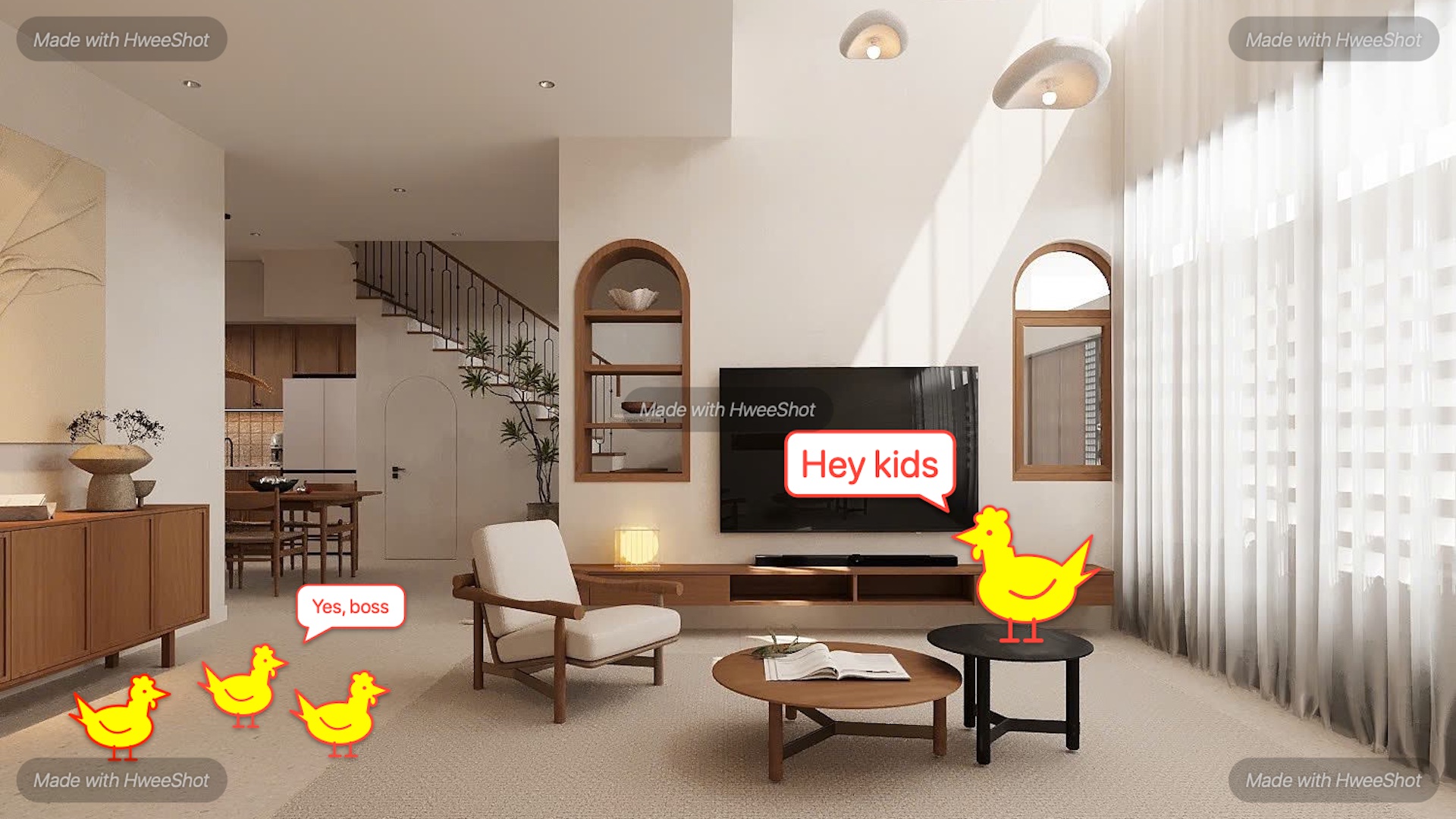
An exported HweeShot image: a living room photo with cartoon chickens and speech bubbles
Annotate

Mark it up. Make it clear.

Arrows, shapes, numbered counters, text and highlights. Every object stays editable, so you can move, resize, copy and paste them until it looks right.

  • Undo and redo everything
  • Copy, paste and clone objects
  • Pick your colour and thickness
HweeShot tool bar with Select, Arrow, Line, Shape, Freehand, Marker, Spotlight, Blur, Text, Counter, Eraser, Crop and Background, plus arrow style, colour, outline and width options
Pro

Retake the shot, keep your work

Annotated a screenshot, then realised the picture needs retaking? With Background, swap in a new capture or image and keep every arrow and label in place. Combine several shots into one with Collage.

  • Retake, import or paste a new background
  • Fit, align, scale, flip and rotate
  • Collage multiple screenshots
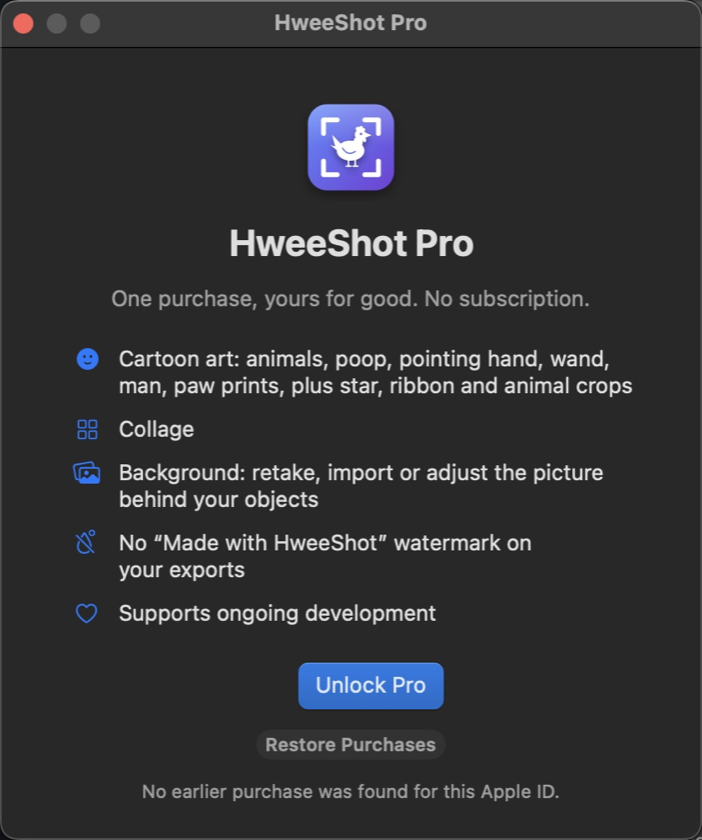
HweeShot Pro window listing cartoon art, Collage, Background and no watermark

Free to use. Pro when you want more.

Try everything for free. Pro is a one-time purchase. No subscription, ever.

Free

Free forever

  • Region capture from the menu bar
  • Classic and tapered arrows
  • Shapes, text, counters, pen
  • Blur and spotlight
  • Crop to common shapes
Lifetime

HweeShot Pro

One-time purchase, no subscription

  • Everything in Free
  • Cartoon arrows, animal shapes and paw-print pens
  • Collage
  • Background: retake and swap pictures
  • Star, ribbon and animal crops
  • No “Made with HweeShot” watermark

Pro is an in-app purchase. Free users can try Pro items, and exports that use them carry a small watermark.

Why choose HweeShot?

Powerful screenshot tools can feel heavy. HweeShot keeps the essentials simple, lets you tune the details, and adds a bit of fun.

Simple to use

Press a shortcut, drag, mark up, done. One focused editor with a short toolbar and single-key shortcuts. No account, no cloud, nothing to set up first.

Flexible configs

Set your own capture shortcuts, save folder and file-name template. Choose the format, scale and quality, show or hide toolbar labels, and put the options panel on either side.

Funny custom shapes

Point with a chicken, shark, pig, pointing hand or magic wand. Draw pig, chicken and dog shapes. Serious screenshots can have a little personality too.

  HweeShot macOS built-in Shottr CleanShot X Skitch
Nice arrows by default✓FreePlainBasic✓✓
Cartoon arrows & funny shapes✓Pro————
Swap the screenshot, keep your annotations✓Pro————
Capture straight into a collage✓Pro————
Easy to learn✓✓Many featuresMany features✓
Flexible settings✓Basic✓✓Basic
Core tools free✓✓✓—✓
PricingFree + one-time ProFreeFree + paid licensePaidFreediscontinued
Everything stays on your Mac✓✓✓Optional cloudCloud sync

Comparison based on publicly available information in November 2026, and it may change as other apps update. Product names belong to their owners. HweeShot is not affiliated with them.

Your screenshots stay yours

Everything happens on your Mac. HweeShot has no accounts, no analytics and no tracking, and your images are never uploaded.

Read the privacy policy

About the open beta

HweeShot is almost ready for the Mac App Store. Until then you can try it early, for free, through TestFlight.

What is TestFlight?

TestFlight is Apple’s official app for trying apps before they’re released. It’s made by Apple, and it’s how developers share early versions of their apps. You install it from the Mac App Store, then click Join the open beta on this page and press Install.

Is it safe?

Yes. Public beta builds go through Apple’s beta app review before they’re offered on TestFlight, and TestFlight installs them through Apple’s own system. HweeShot has no accounts, no analytics and no tracking, and your screenshots never leave your Mac. The app runs in Apple’s App Sandbox, which limits what it can touch, and it has no network access of its own. It only asks for Screen Recording permission, which macOS needs for any app that captures the screen. You can check this in the privacy policy.

Will it clutter my Mac?

No. It’s one small app, plus TestFlight itself, which you can delete any time. To remove everything, drag HweeShot to the Trash. Then delete TestFlight too if you don’t need it. HweeShot lives in your menu bar only while it’s open.

Does it cost anything?

No. The beta is free, and you don’t need to pay or sign up for anything. You only need your normal Apple Account, which you already use for the App Store.

Beta tester perk: 50% off Pro

The first 100 testers who send feedback get a 50% discount code for HweeShot Pro when the app launches on the Mac App Store. Any feedback counts: a bug, an idea, or what you liked. Send it from TestFlight (Send Beta Feedback) or email [email protected] with the subject “HweeShot beta”. If you use TestFlight, allow sharing your email so I can send the code. No sign-up, and no App Store review is needed.

Why is it a beta?

I’m collecting feedback from real users before the full release. Beta builds expire after 90 days, and TestFlight will update you to newer builds automatically. If something is wrong, you can send feedback from TestFlight, or write to me on the support page.

Join the open beta onTestFlight

🎁 Beta tester perk: the first 100 testers who send feedback get a 50% discount code for HweeShot Pro at launch.

Questions, answered

Is HweeShot free?

Yes. The beta is free to download, and the core tools (capture, arrows, shapes, text, blur, spotlight and crop) are free forever. HweeShot Pro is optional.

Is there a subscription?

No. Pro is a single one-time purchase that’s yours for good. You can restore it on any Mac signed in with the same Apple Account.

Does HweeShot upload my screenshots?

Never. Images are processed on your Mac and aren’t sent anywhere. See the privacy policy.

Which Macs does it support?

macOS 14 Sonoma or later, on Apple silicon and Intel Macs.

Is it a Skitch alternative?

If you liked Skitch’s quick capture and simple markup, HweeShot gives you a similar workflow with more tools, plus fun cartoon arrows and shapes.

The screenshot is blank. What do I do?

Allow HweeShot in System Settings → Privacy & Security → Screen & System Audio Recording, then reopen the app. More help is on the support page.

Ready to make better screenshots?

Try the free open beta, installed through Apple’s own TestFlight app.